ScalePlate
Scaled photographic plates of your finds - Front, Back and Side
Windows version coming soon



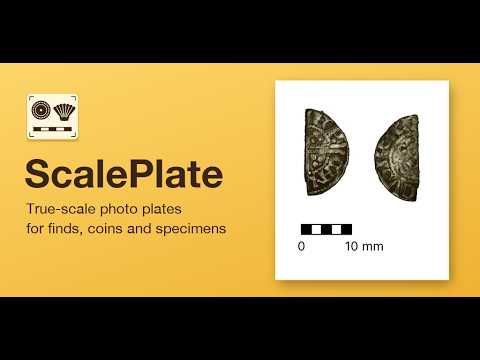
ScalePlate turns your photos of a find into a single, properly scaled plate - the Front, Back and Side views (and more) side by side with a scale bar, a title and the date. Calibrate each photo against a known distance, crop and cut the find out from its background, then export a high resolution plate ready for recording, reporting or sharing. Available for iPhone, iPad and Mac.
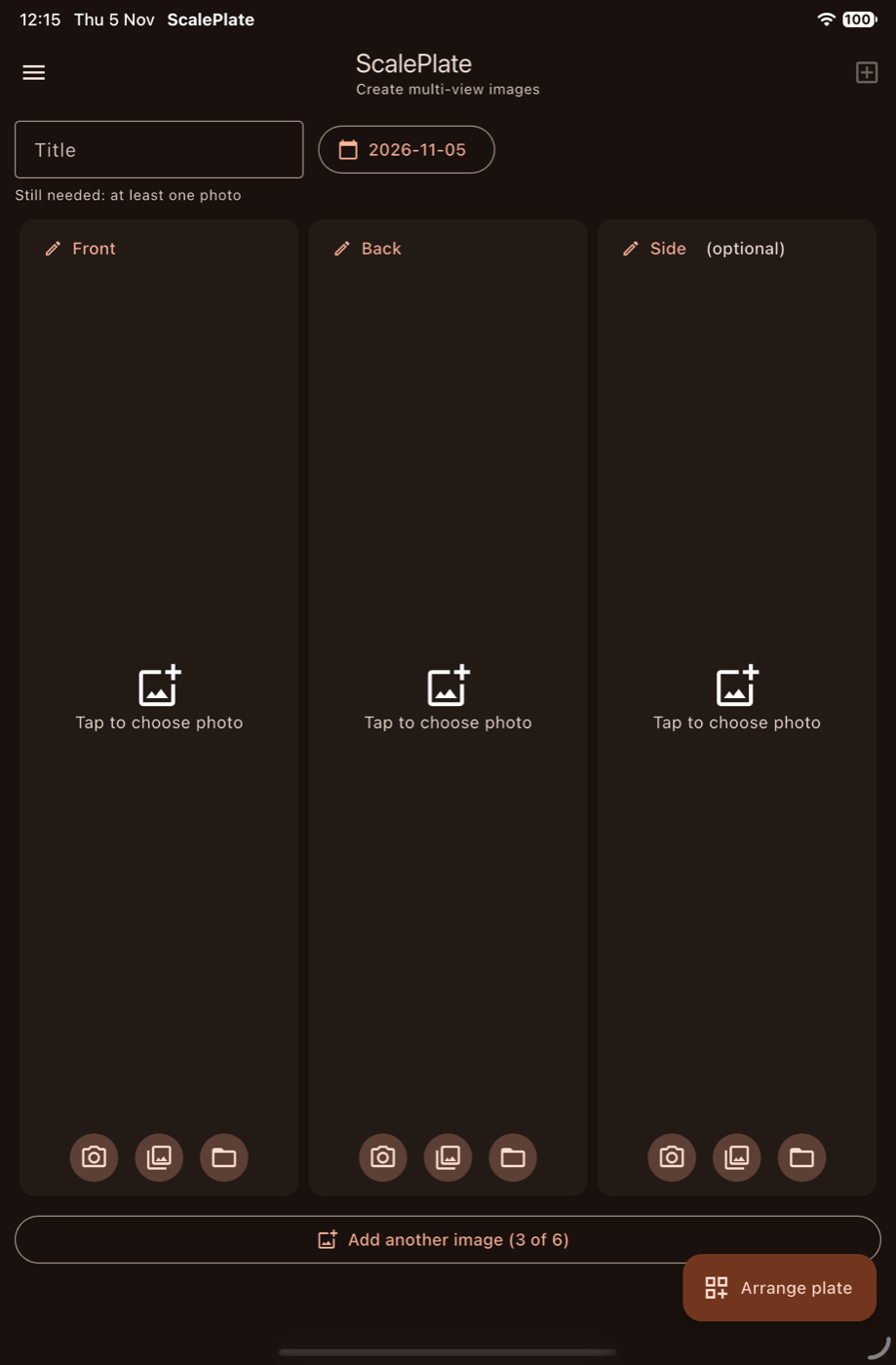
Up to Six Views
Add a photo for the Front, the Back and the Side of your find, then add more images if you need them, up to six in all. Take each one with the camera, choose it from your photo library, or pick it from a file. You only need one photo to get started.
Enter an optional Find ID and the date. The ID becomes the title of the finished plate. ScalePlate works on iPhone, iPad and Mac.
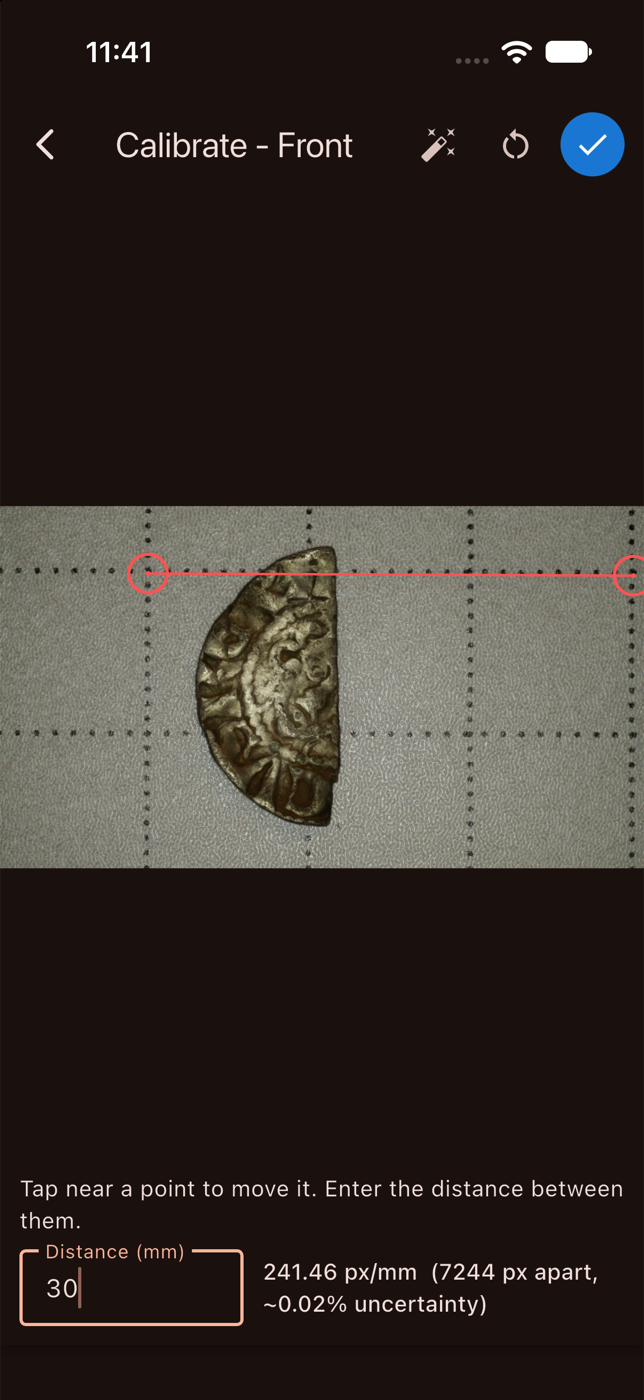
True-to-Size Calibration
Photograph your find next to a scale or measuring grid, then mark two points and enter the real distance between them. The app works out the exact pixels per millimetre and shows the uncertainty of your measurement, so every view on the plate is at a known scale.
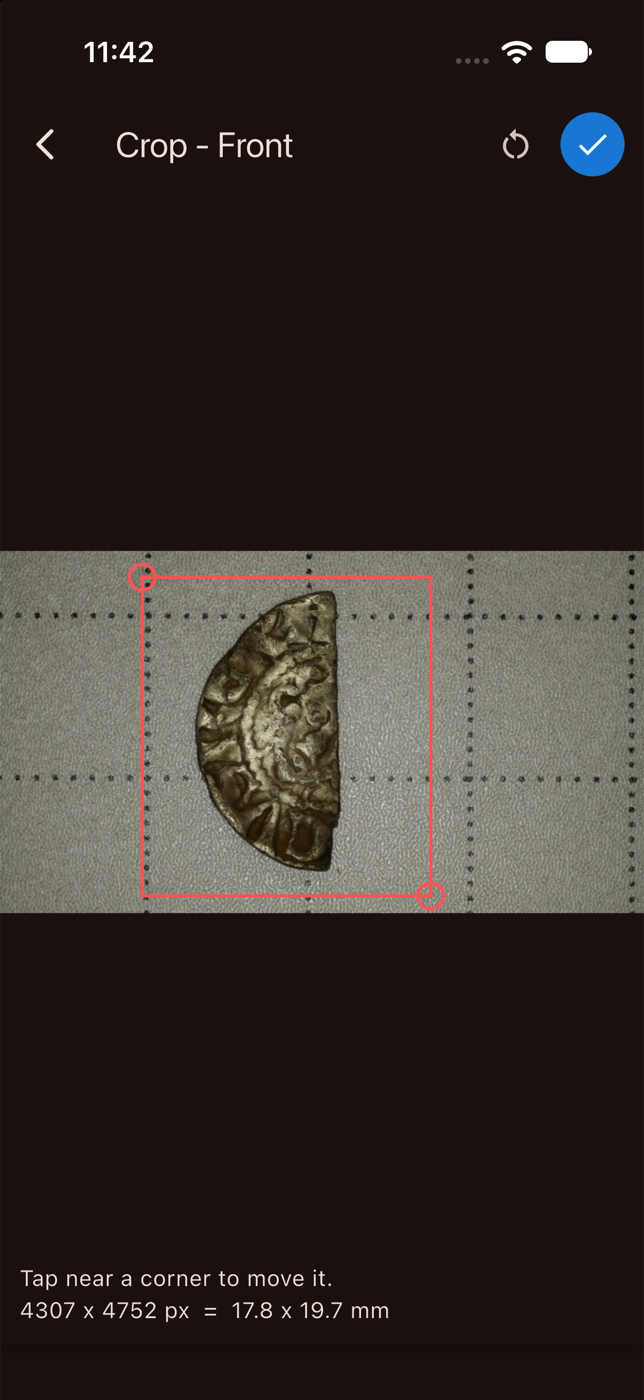
Crop to the Find
Drag the corners to frame just the object. As you crop, the app shows the size of the area in pixels and in millimetres, so you always know the real-world dimensions of what you have selected.
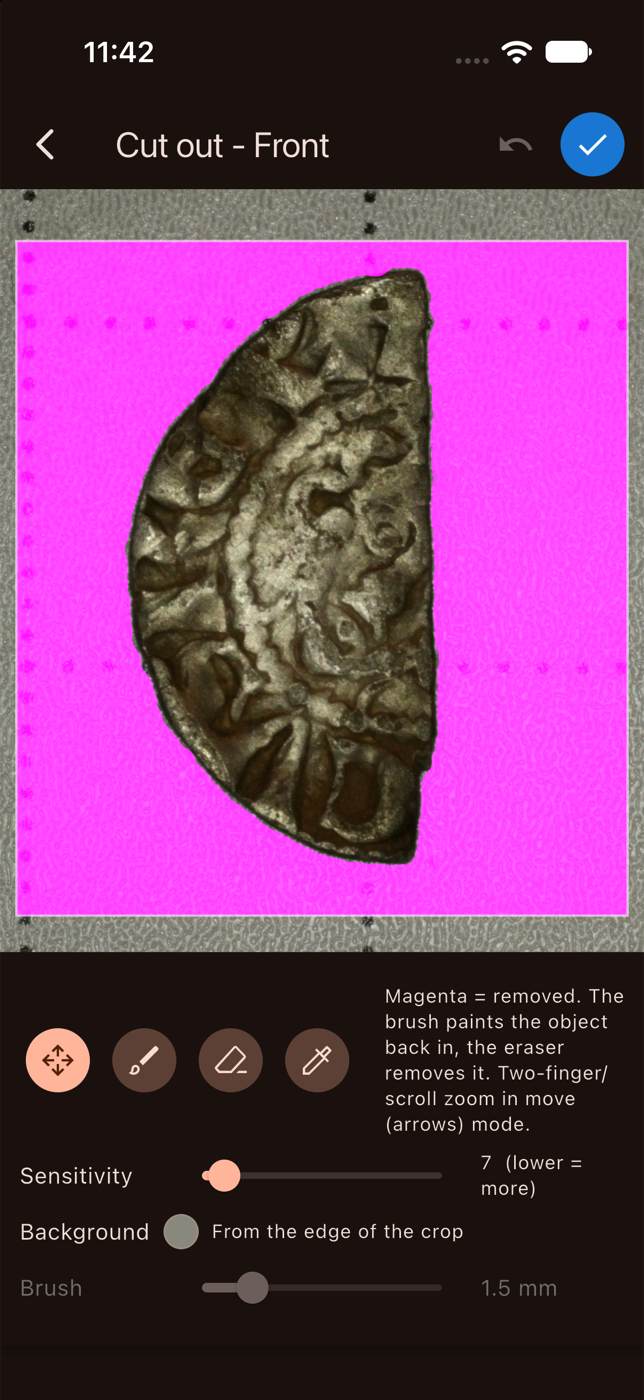
Clean Cut-Out
Remove the background automatically with one tap, then fine-tune the result. Magenta shows what will be removed. Use the brush to paint parts of the find back in and the eraser to take more away, with adjustable sensitivity and brush size, and zoom in for fine edges.
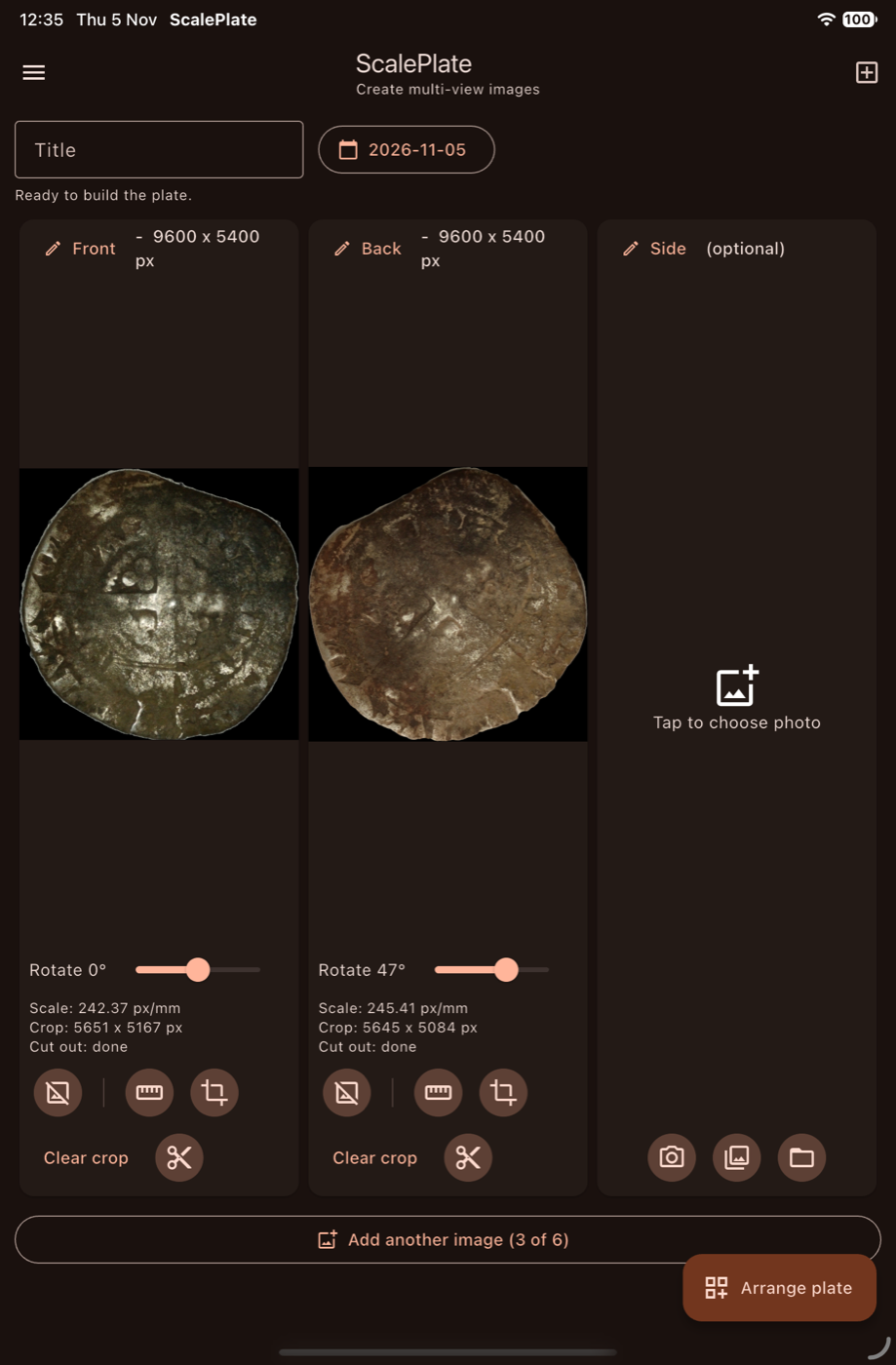
Rotate, Check, Build
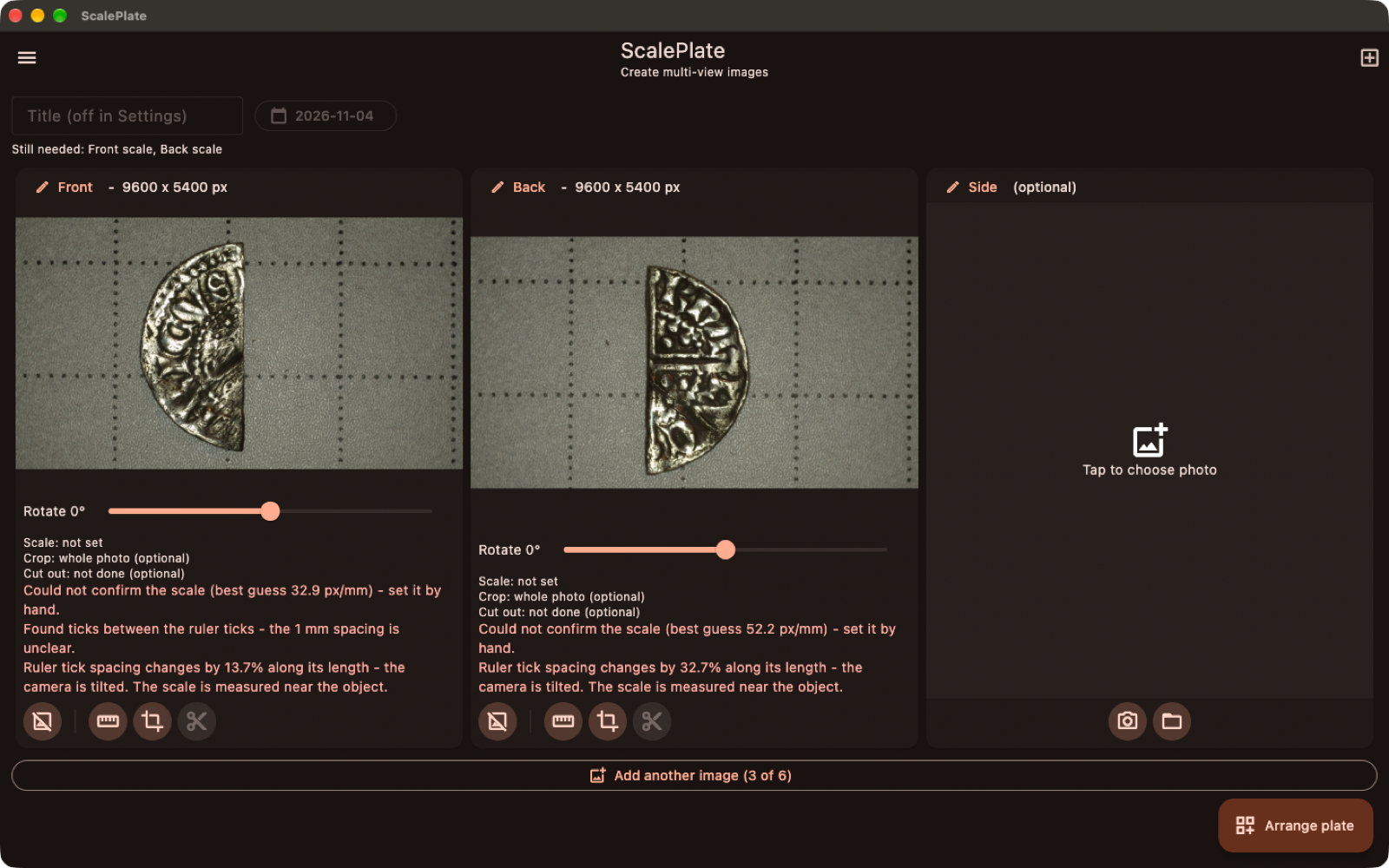
Straighten each view with the rotation slider and review its scale, crop and cut-out status at a glance. When everything is ready, tap Arrange plate to lay the views out together.
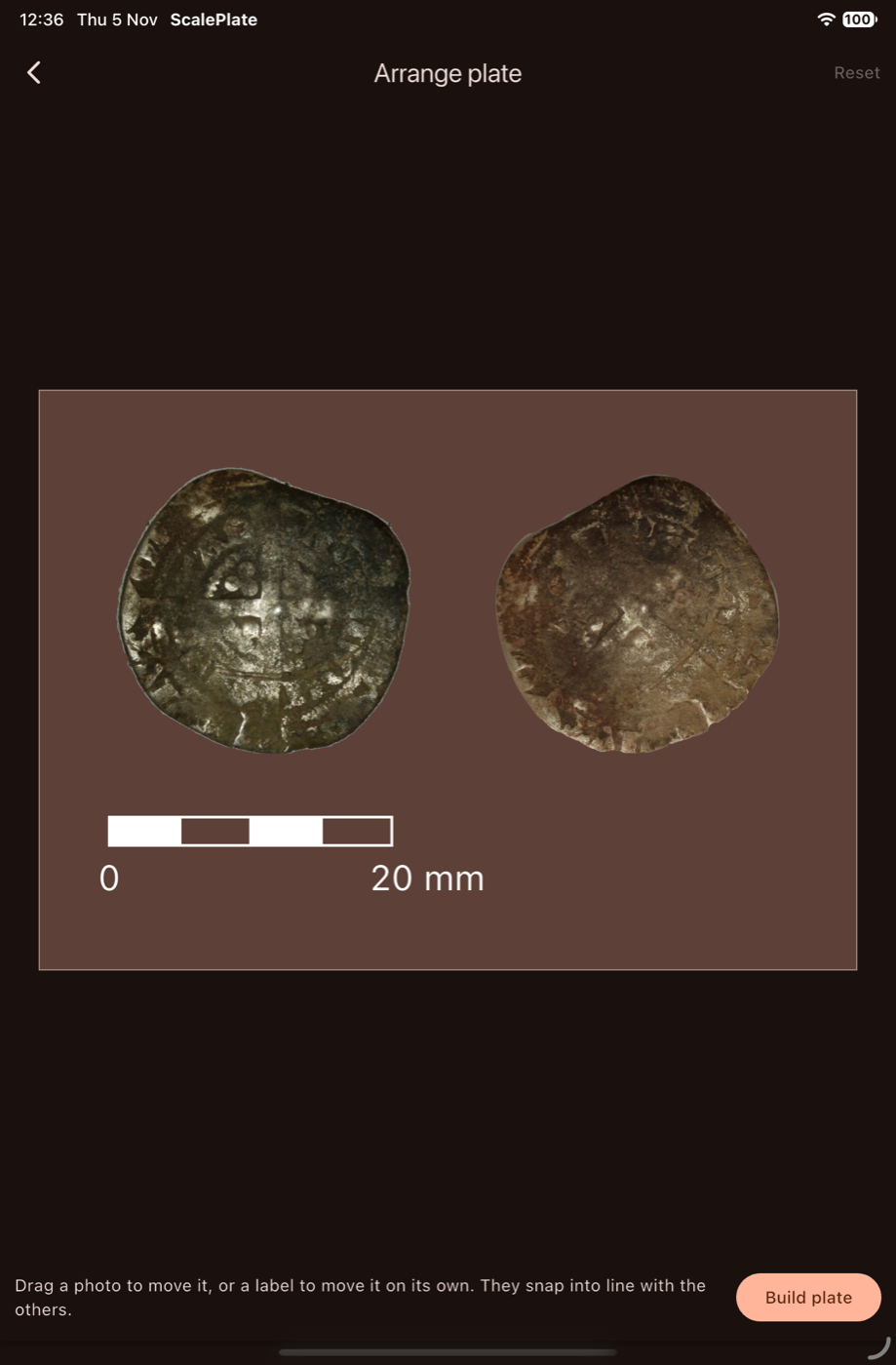
Arrange Your Plate
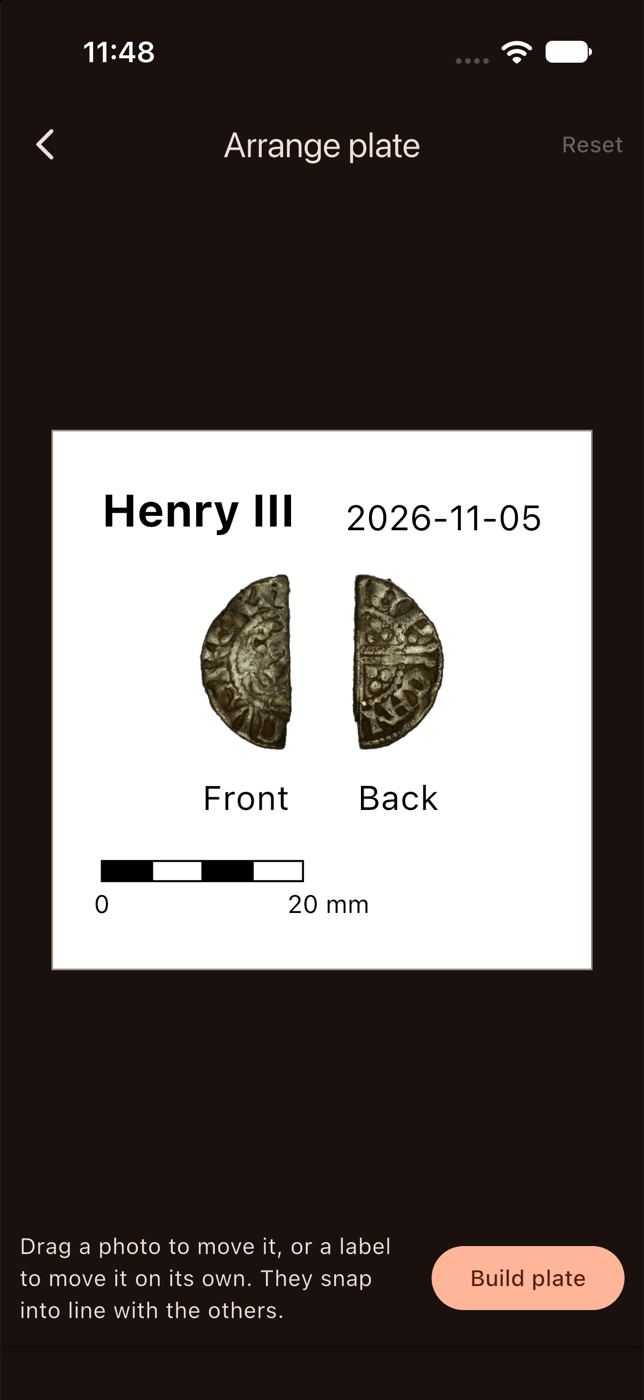
Drag each photo, or its label, to where you want it. Everything snaps into line with the other views, so the plate looks neat with very little effort. Happy with the layout? Tap Build plate. You can come back and change the arrangement at any time.
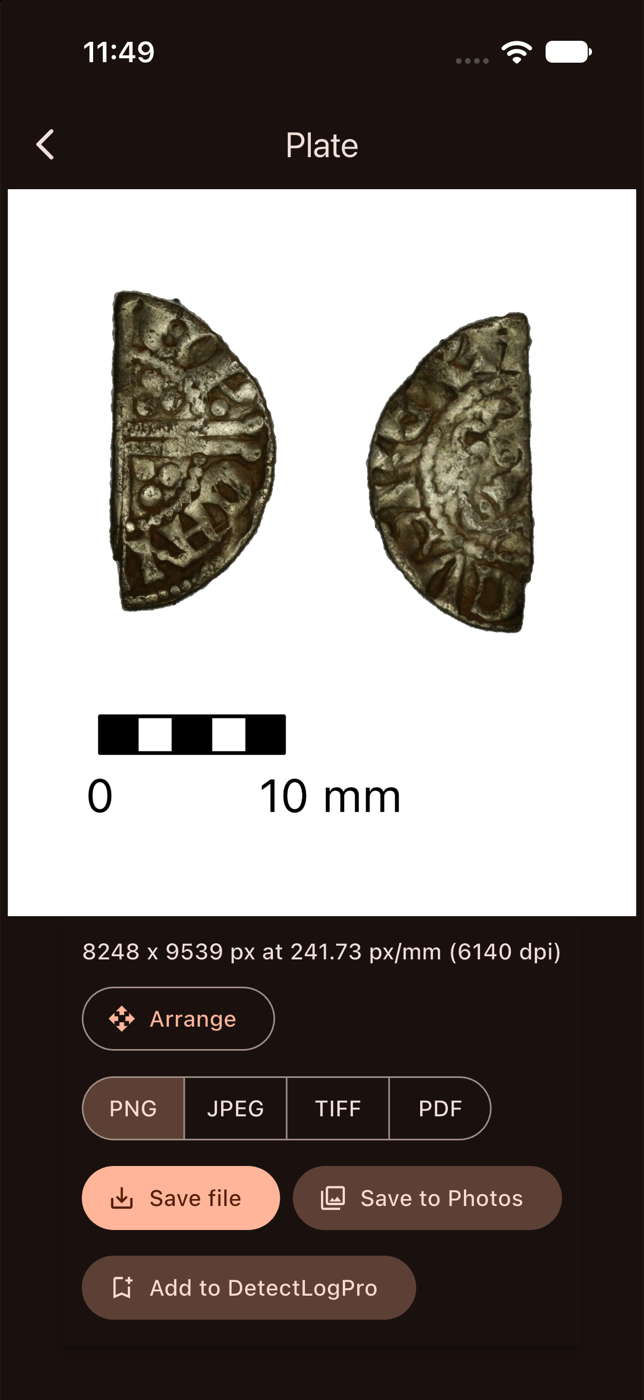
A Finished Finds Plate
Your find appears at a consistent scale with a label under each view, a scale bar, the date and your title. The plate is exported at the true resolution of your photos, and the app tells you the size in pixels and the equivalent dpi. Very large plates are scaled down automatically to stay within a safe size.
Save in PNG, JPEG, TIFF or PDF, to a file or straight to your photo library.
Your Title, Your Background
The Find ID you enter is printed as a bold title beside the date. Choose a white, black or sand background to suit the find. Silver and bright metals often look best on black, while darker finds stand out on white or sand.
On the Desktop
The desktop version gives you the same tools on a large screen, with Front, Back and Side views side by side. It is available for Mac now, and the Windows version is coming soon.
Connect a UVC microscope. Plug in a USB (UVC) microscope or camera and capture photographs of your finds straight into ScalePlate, with no need to transfer files.
Use a watch folder. Point ScalePlate at a folder and any new image saved there, by your microscope software or camera, appears automatically, ready to assign to a view.
External Cameras, Microscopes and DSLRs
You are not limited to the camera built into your device. ScalePlate works with external cameras and USB (UVC) microscopes, so you can capture small finds in fine detail, such as coins, buckles and fragments, and bring them straight into your plate.
DSLR and mirrorless cameras are supported on the desktop version only. Take your photos with a camera and lens suited to the find, then load them into ScalePlate, or let the watch folder pick them up as they are saved.
Greater Depth of Field with Stacked Images
Close-up and microscope photographs have a very shallow depth of field, so only part of the find is sharp. Take a series of photographs focused at different depths and stack them to combine the sharpest parts of each into a single image that is in focus from front to back.
Use the stacked result for any view, then calibrate, crop and cut it out as usual to build a crisp, fully focused finds plate.
Works with DetectLogPro
Use Add to DetectLogPro to attach the finished plate to a find record in our metal detecting logbook app, so your best photographs live alongside the location, date and details of the find.